The problem
DSP Farm Bandung keeps sheep, deer, geese, birds, rabbits and other animals, and its vets check on them pen by pen. Those checks were kept on paper, and so were the schedule for the next visits and the invoices for the work. An animal's history was hard to find, and an invoice could easily get lost somewhere between unpaid and paid.
Whatever replaced the paper had to work where the checks actually happen: standing in a pen or beside a cage, phone in one hand, often in bright sun.
What I built
A phone app for the farm's vets, with a Laravel API and a MySQL database behind it, built with a small team at Telkom University.
The second version
VetPro began as a team project, and its first version kept everything in Firebase. For the second version I built a Laravel API for the health checks and the schedule, with the data in MySQL, and wrote the app's check and schedule screens against it. A teammate built the invoices and their PDF.
Built for the pen
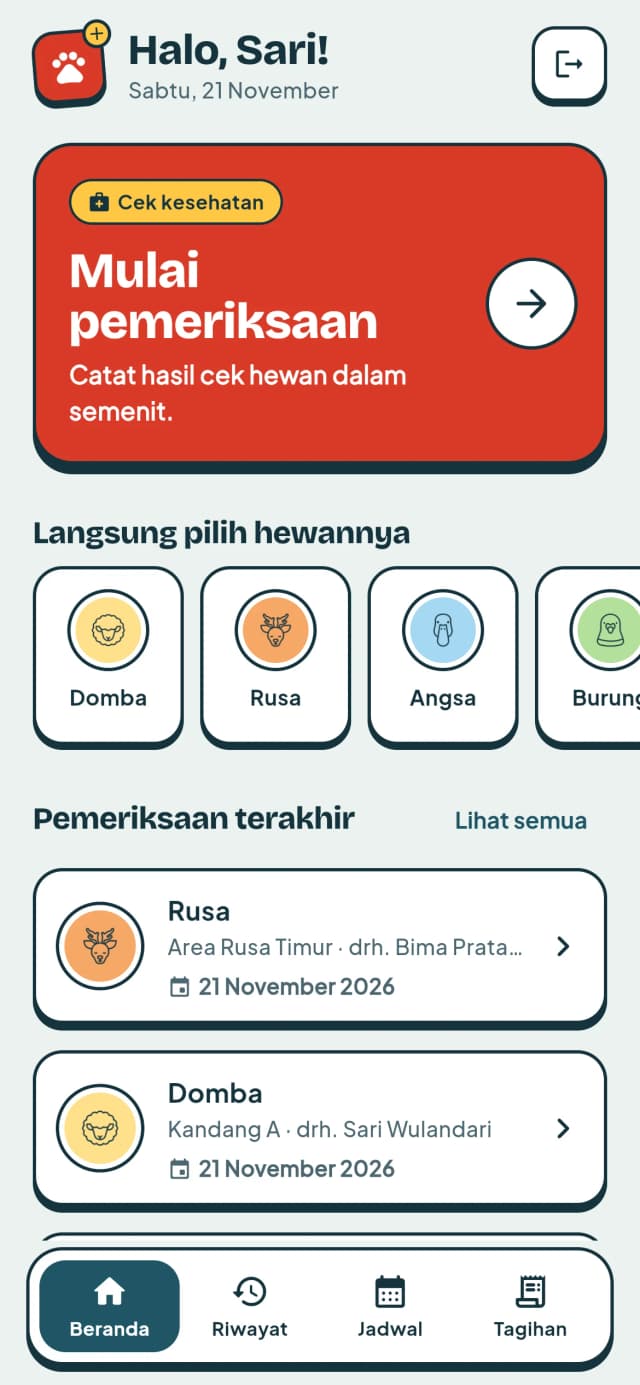
Later I redesigned every screen around the way the app is used: outdoors, often one-handed. Thick outlines, high contrast and big tap targets keep it readable in direct sun, and every text colour passes WCAG AA. Each species has its own sticker and colour that follows it through the app, so a list can be scanned by animal before reading a word. Screens that show saved data read as plain text instead of looking like forms waiting to be edited. Along the way I fixed what the old version got wrong, like date pickers that crashed because their last allowed year was hard-coded.
How a check flows
Step 1 / 4
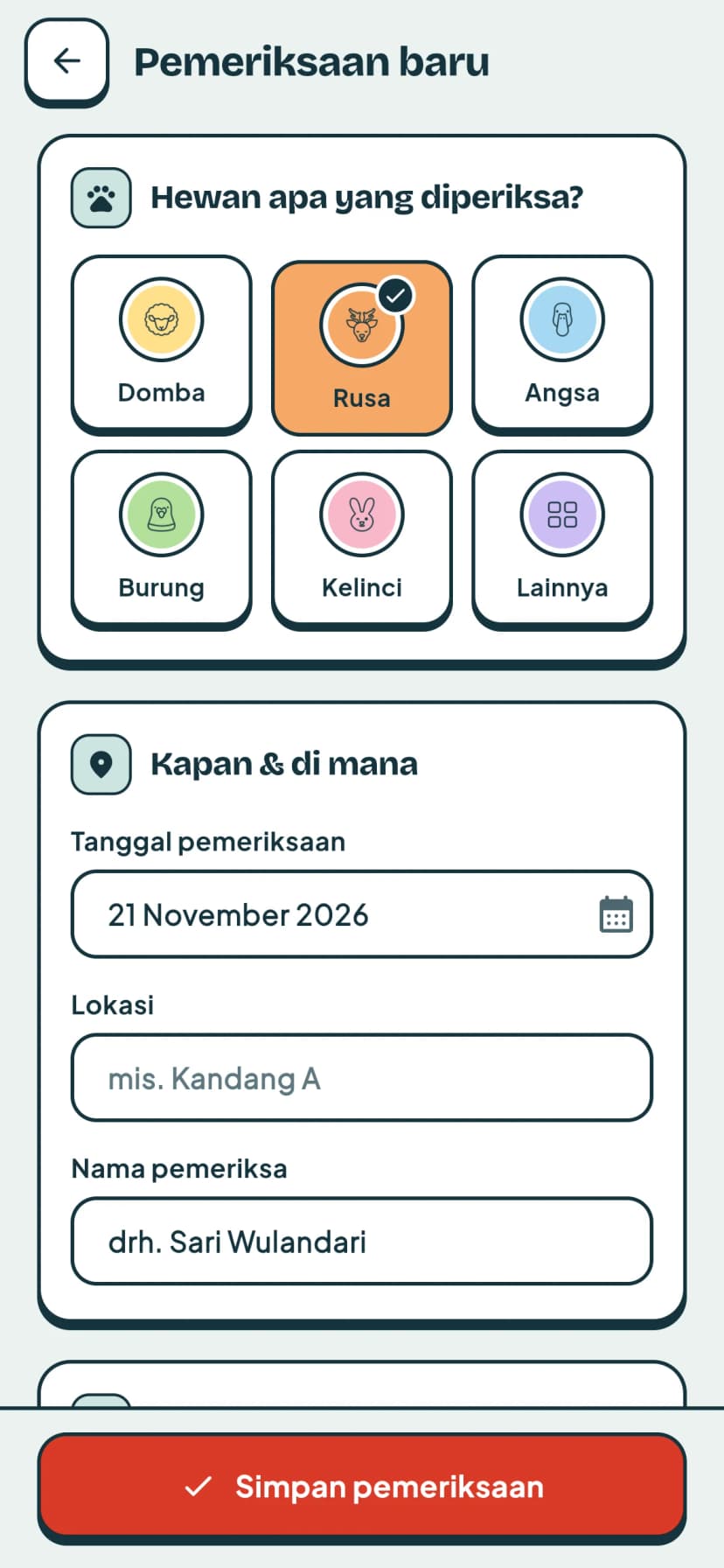
- At the pen, the vet taps the animal on the home screen. A new check opens with that animal picked, and the date and the vet's name already filled in.
- They write down what they saw: the result, medical treatment, cage care, feeding, the surroundings and any advice. Saving sends the check to the API, which stores it in the database.
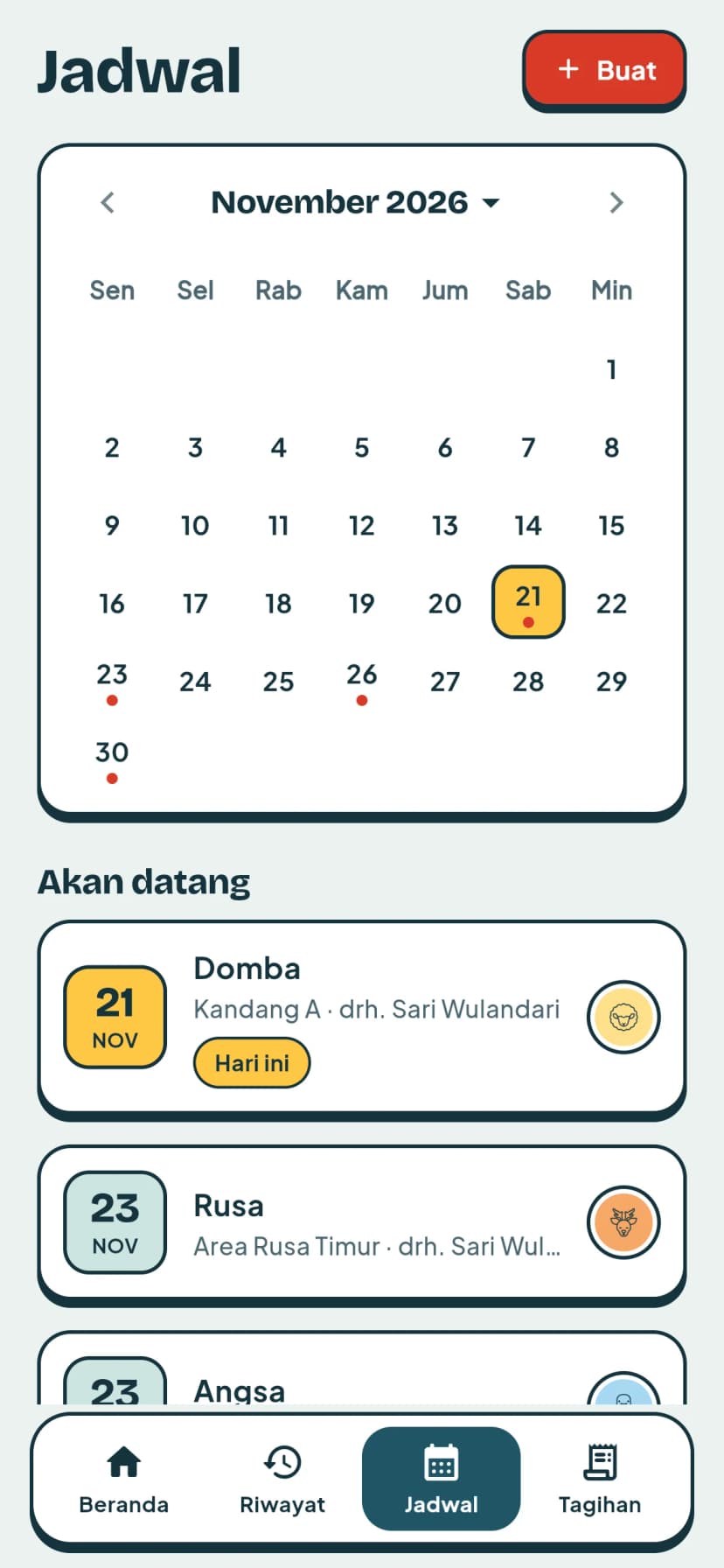
- If the animal needs another visit, it goes on the schedule. The calendar marks the busy days, and visits whose date has passed are cleared away.
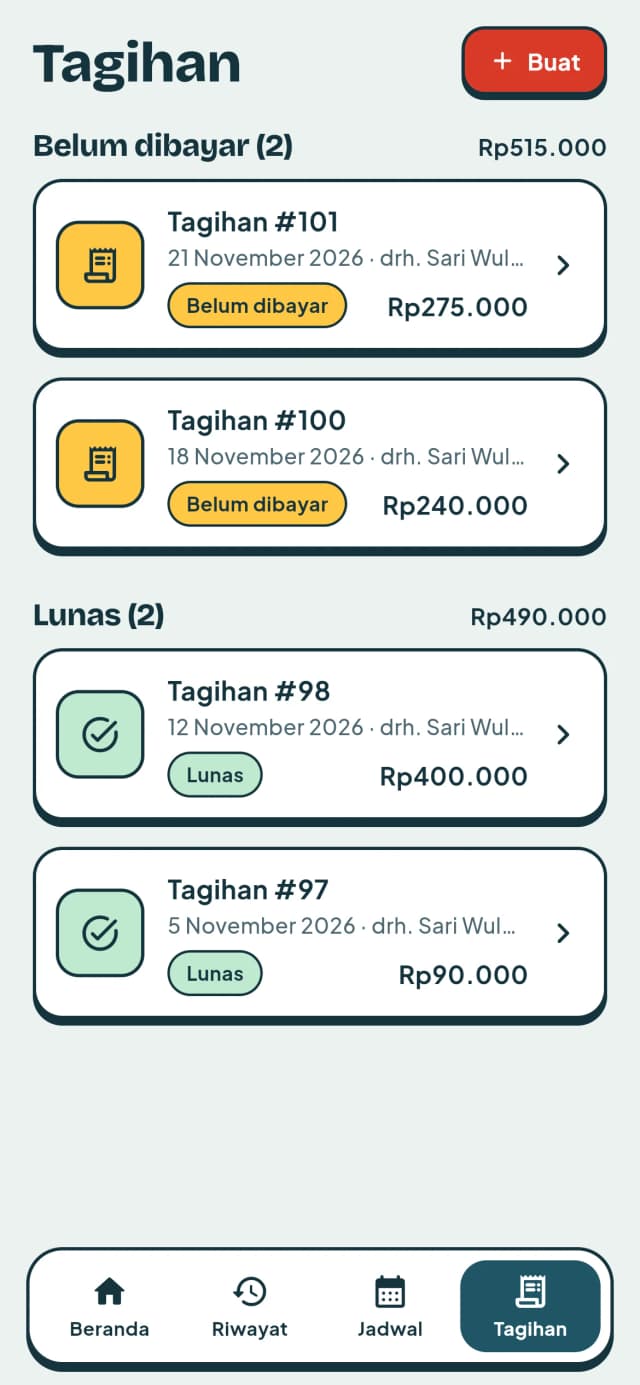
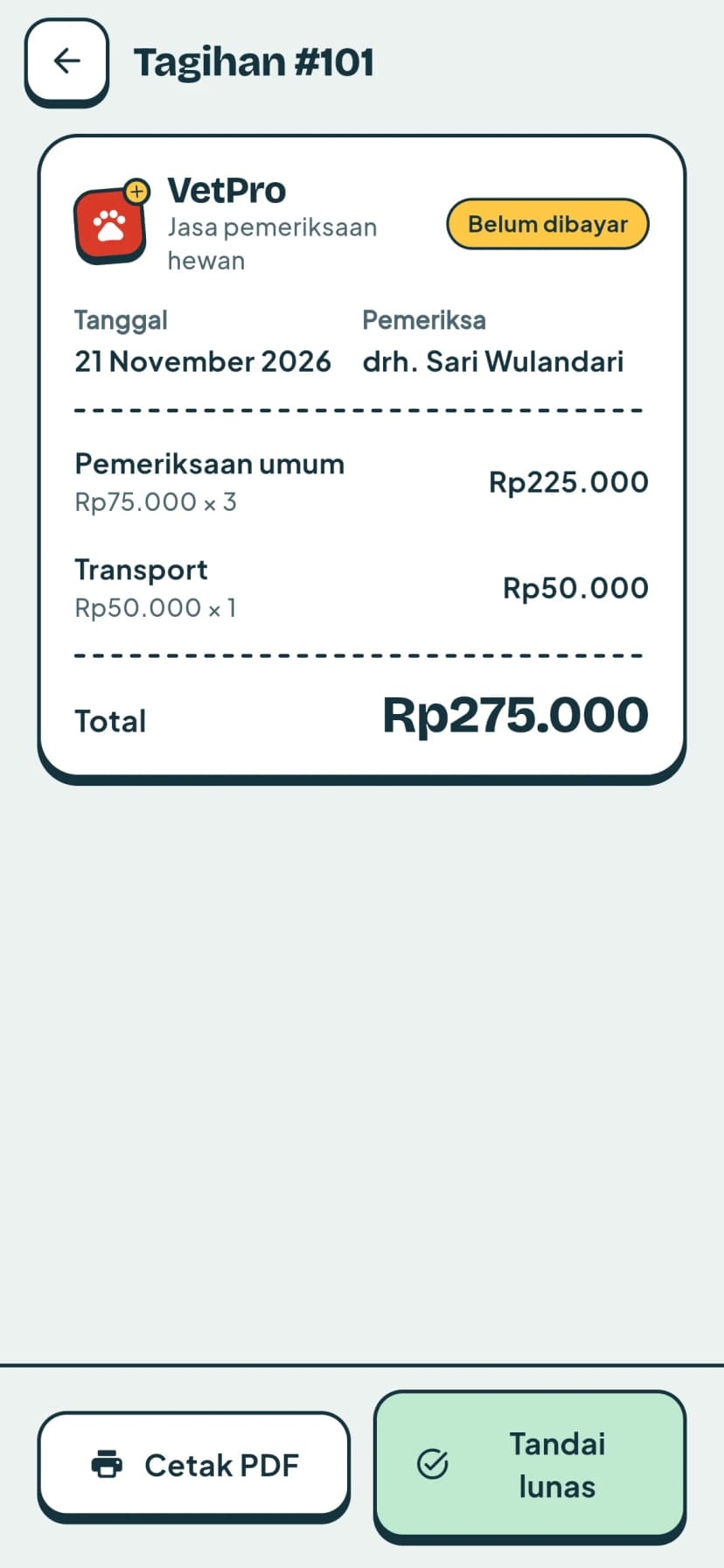
- The work is billed as an invoice, line by line. It stays under unpaid until someone marks it paid, and it can be printed as a PDF.
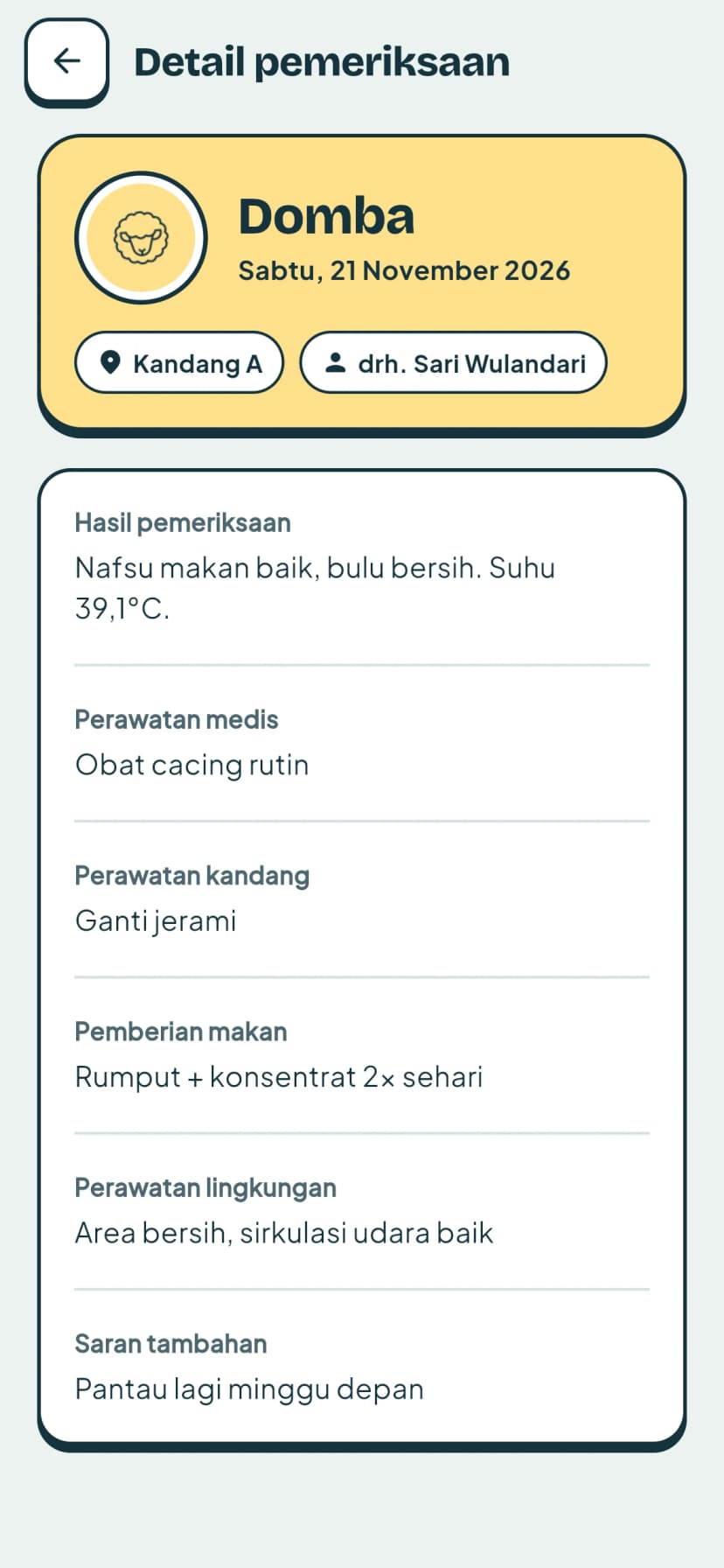
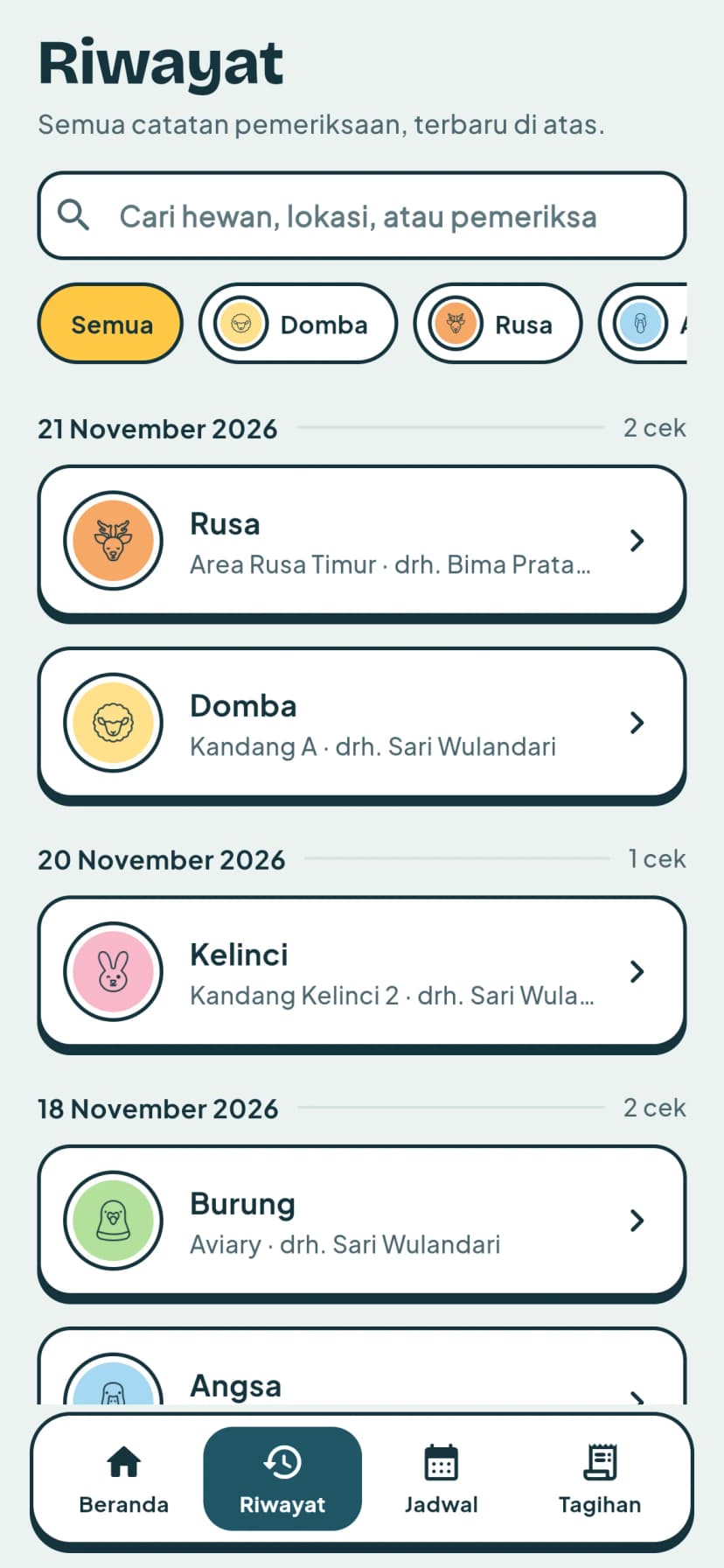
Every check lands in the history, newest first and grouped by day, and can be searched by animal, place or vet or filtered by species. The schedule shows the month at a glance, with a dot on each busy day, and tapping a day narrows the list to its visits.
Invoices are split into unpaid and paid, each with its total, so an unpaid one can't slip out of sight. An invoice reads like a receipt, with each line's price and quantity, and from there it can be marked paid or printed as a PDF to hand over.
The result
The second version brought the farm's checks, schedules and invoices into one app. We checked each feature with black-box testing, and in usability testing the app scored 86.4 on the System Usability Scale, which counts as excellent.
The redesign rebuilt every screen on one shared set of components. It also added a demo mode that runs the real app on sample data, which is where the screenshots on this page come from.