
The problem
The first venue I built this for is a billiard hall with a small kitchen and a bar. On a busy night, orders traveled from table to kitchen on paper and by memory. Waiters walked the floor taking orders, some got written down twice, some never reached the kitchen, and now and then a tab went unpaid because nobody could say which table it belonged to. Guests waited longer than they should have, and the venue lost money on food that was cooked but never paid for.
The owner already had a POS and a table billing system they were happy with, so replacing them wasn't an option. That set the main constraint from day one: whatever I built had to work next to their existing setup, not instead of it.
What I built
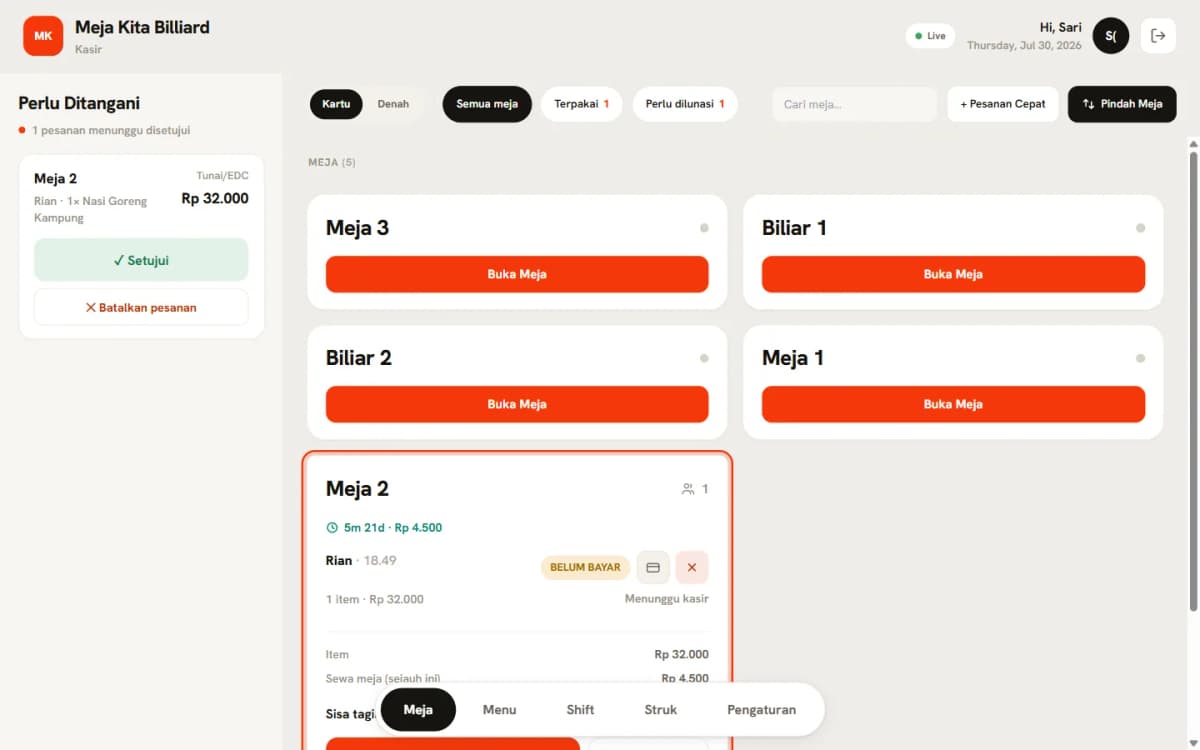
FazQ is a QR ordering system with a live cashier dashboard and a kitchen display, made to sit beside the venue's POS.
Next to the POS, not inside it
The first decision was not to connect to the POS at all. The cashier sees every order in one place and enters the final total into the POS the way they already do. That way the system works with whatever POS a venue already has, and the venue's own setup stays untouched. The second decision was about when food gets cooked: nothing reaches the kitchen until it has been paid for or approved by the cashier, and every route into the kitchen goes through one function in the code, so that rule lives in exactly one place.
How an order flows
Step 1 / 5
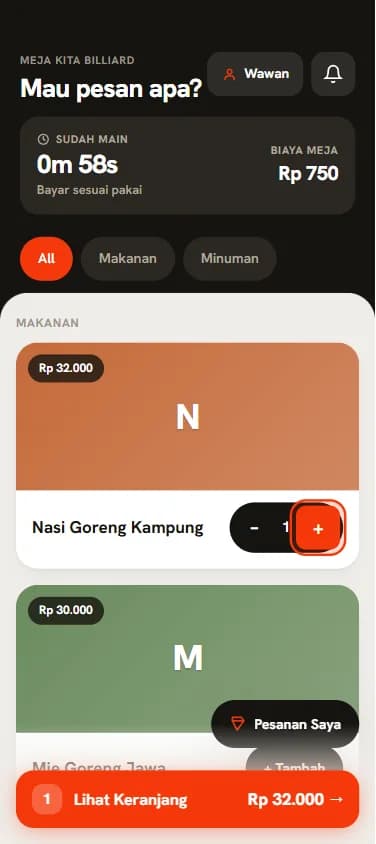
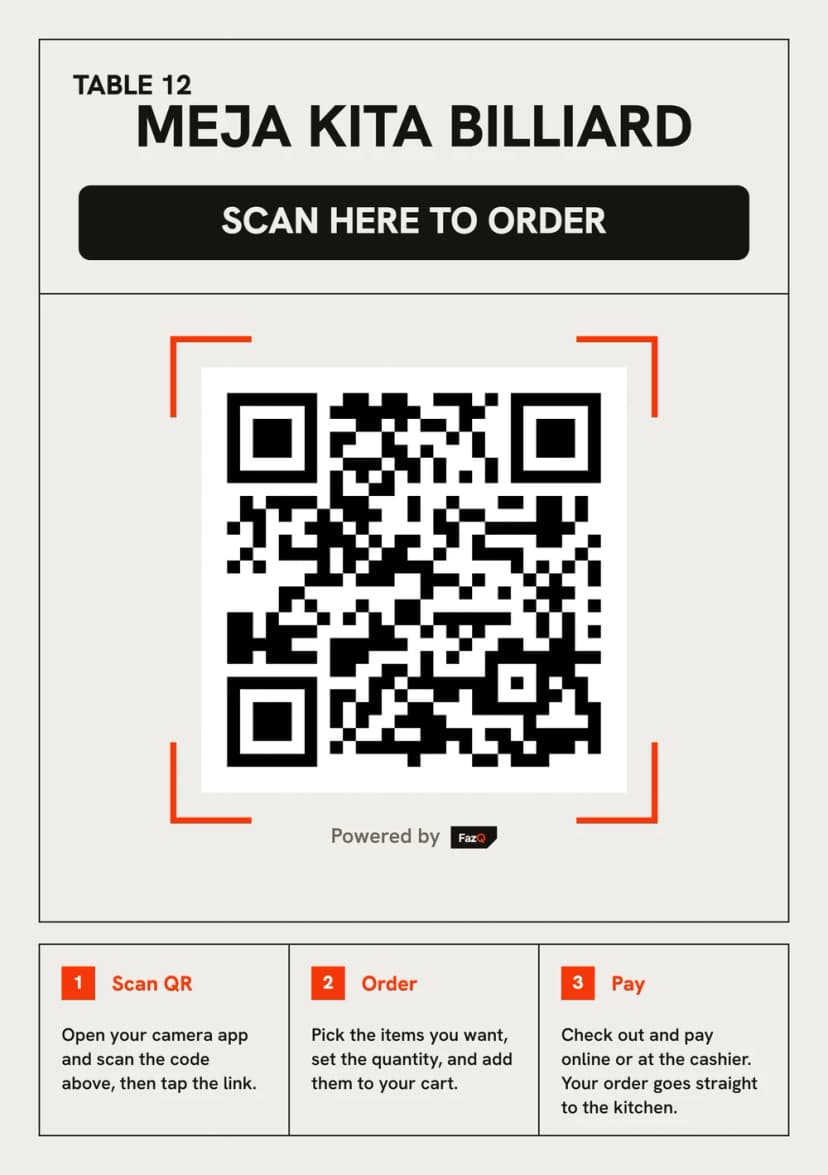
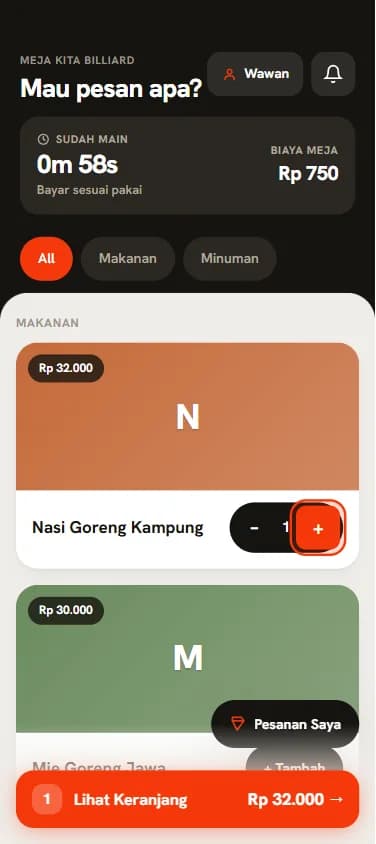
- A guest scans the QR code on their table and the menu opens in the browser. There's no app to install and no account to make, just a name so the cashier knows whose order is whose. Every phone at the same table joins the same tab.
- The guest chooses how to pay: QRIS through Midtrans straight away, at the cashier, or an open bill settled when they leave.
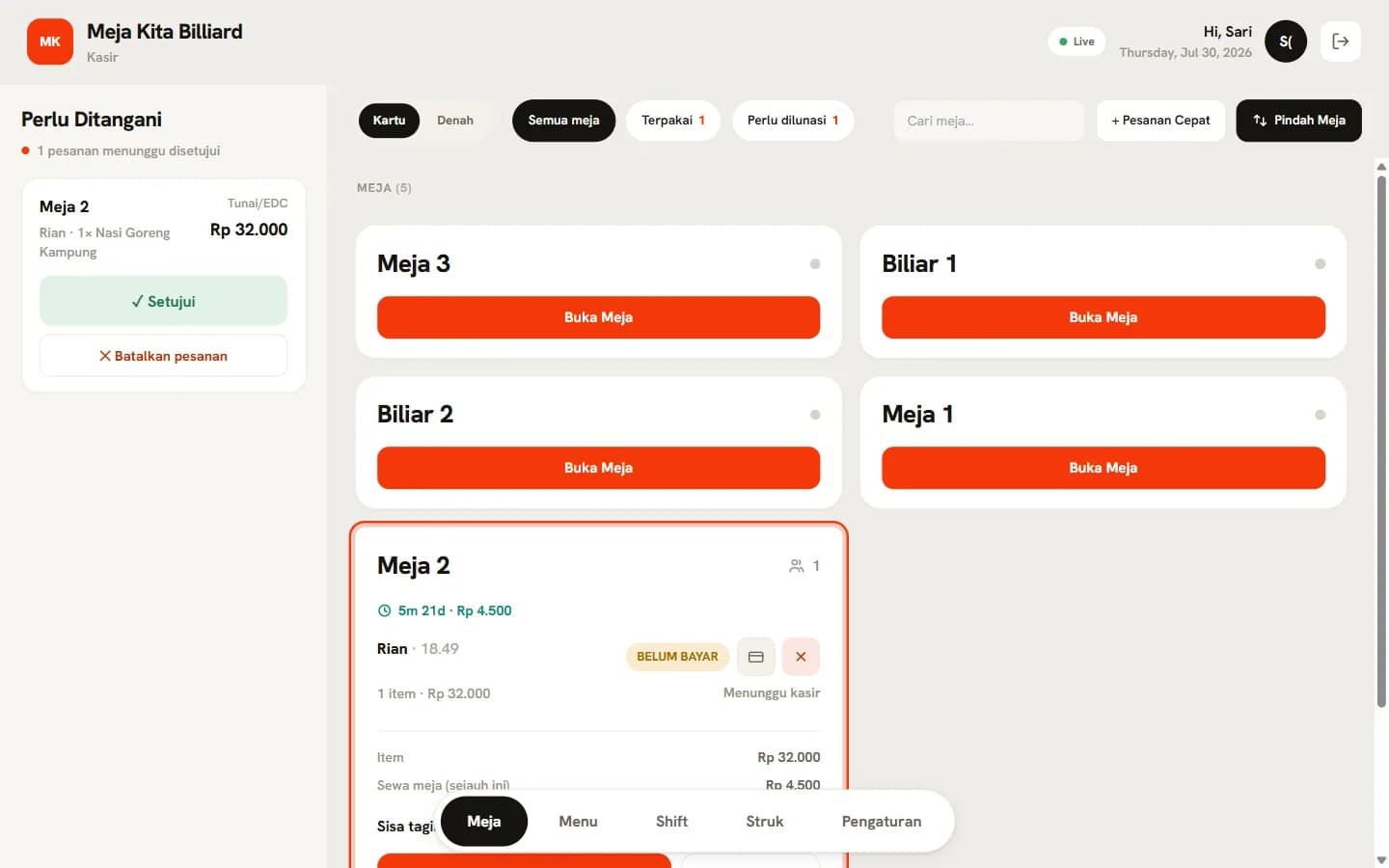
- The order appears on the cashier's screen within a second. An order paid with QRIS goes to the kitchen as soon as Midtrans confirms the payment. The others wait for the cashier to approve them.
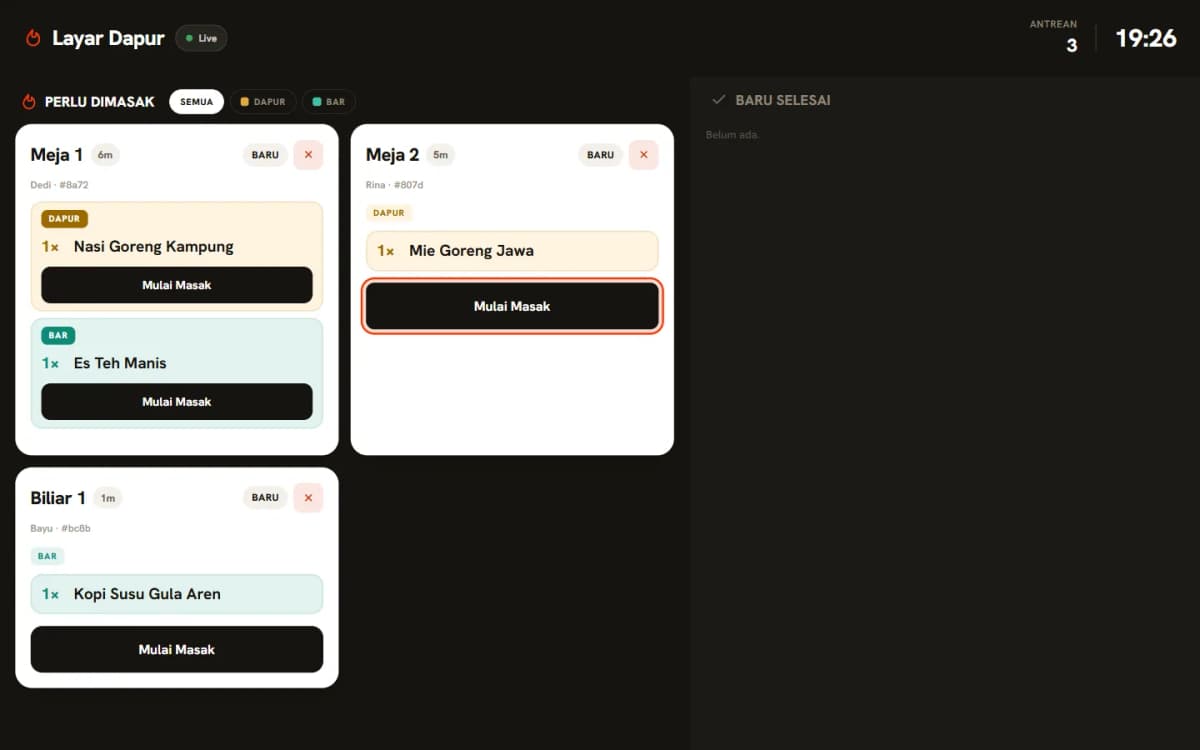
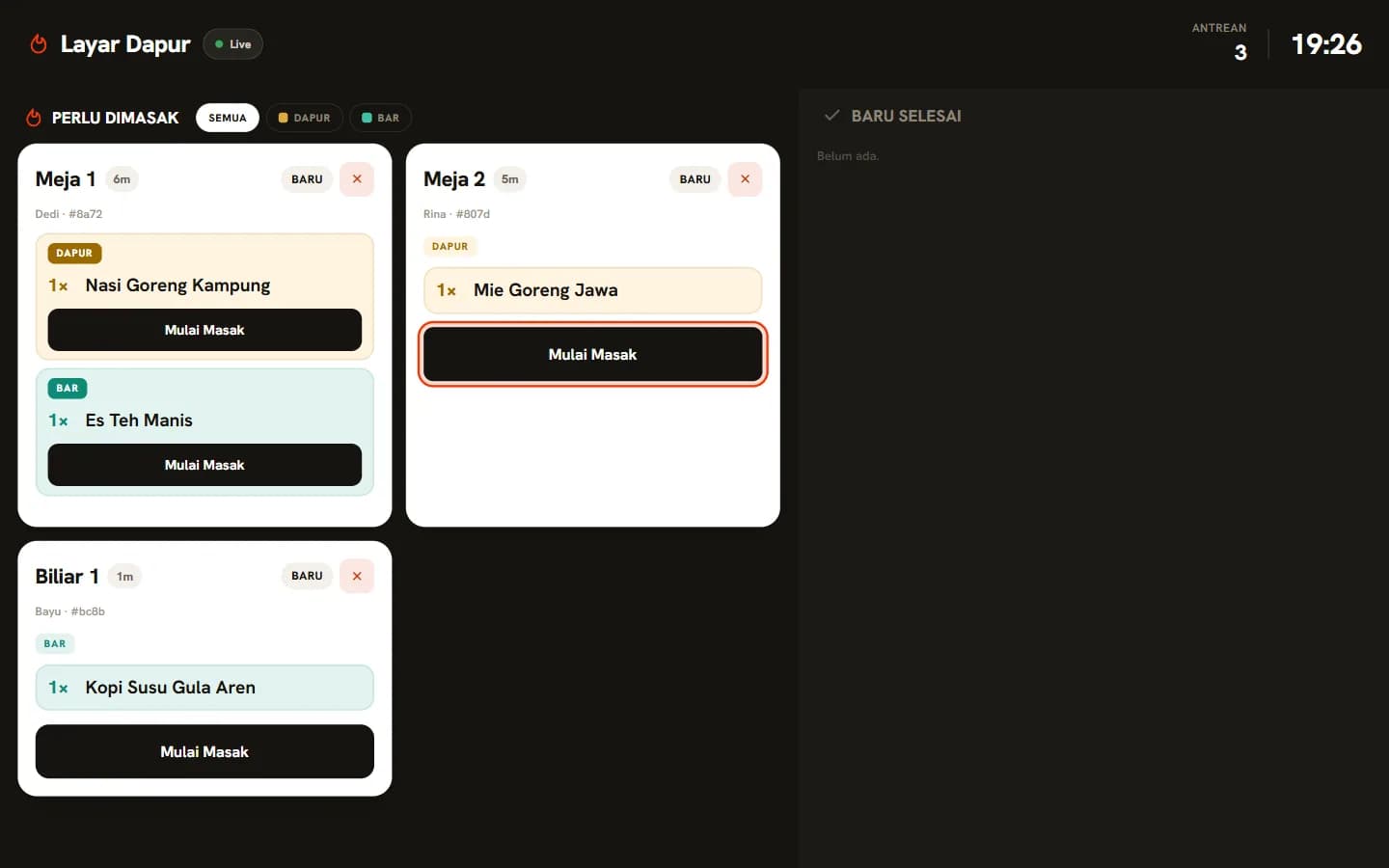
- The kitchen sees only the orders it should cook, on a full-screen display or as tickets from a thermal printer, and marks each one as cooking and then ready.
- When the guests leave, the cashier settles the tab, the table time is added for billiard tables, and the receipt is archived.
Careful with money
A payment only counts once Midtrans confirms it to the server, never because the guest's browser says so. Prices are saved with each order at the moment it's placed, so an old receipt never changes when the menu does. Every change of state, like paying, approving, voiding or closing a tab, is written so that two people pressing the same button at the same moment can't both go through. I tested that by firing every action twice at once and fixing each spot where it slipped. And if a guest's connection drops while ordering, sending the order again doesn't create a second one.
Billiard tables are charged by the hour, so there's a table timer with hourly rates and happy-hour windows. A venue can also run the whole system on a small box on its own network, so the kitchen keeps working when the internet doesn't.
The result
The system now covers a full night at a venue: guest orders, payments, the kitchen queue, table time, closing the shift and the end-of-day report. It's backed by around a thousand automated tests that run against a real database, plus browser tests that place an order, pay for it, cook it and close the tab the way a real evening would.
It has also grown into a product of its own. Other cafés and billiard halls can sign up for a monthly plan, each with its own menu, staff, floor plan and reports, and venues that want everything on their own hardware can have it installed on site.