The problem
I built this one for myself. In online classes my attention kept splitting between listening and typing notes, and I ended up doing both badly. A week later, finding the moment a lecturer mentioned a deadline or explained a particular idea meant scrubbing through a two-hour recording, if I had recorded it at all. Deadlines mentioned out loud in class were the easiest thing to miss, and the most costly.
The usual answer is a meeting bot, but those have to join the call, and I didn't want an extra name in the participant list of someone else's class. I also didn't want study notes that contained things the lecturer never actually said. (Every lecturer agreed to being recorded.)
What I built
A Windows desktop app with one big Record button, which turns a class into notes I can trust and trace back.
Trust before convenience
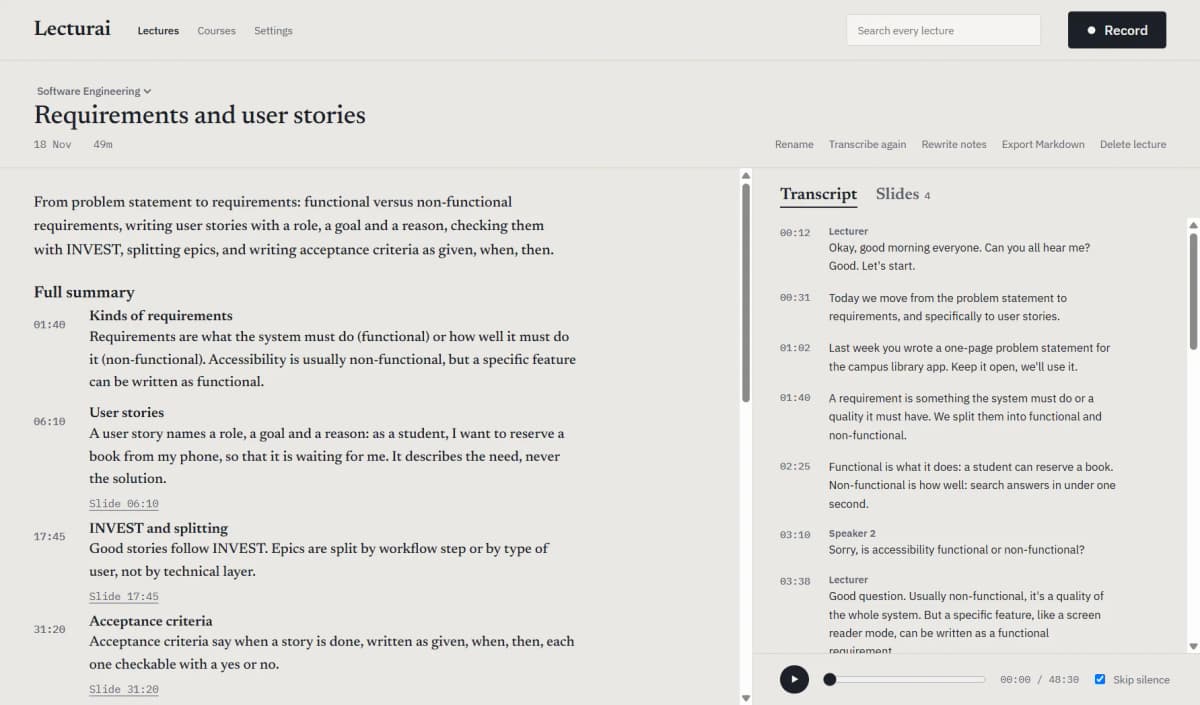
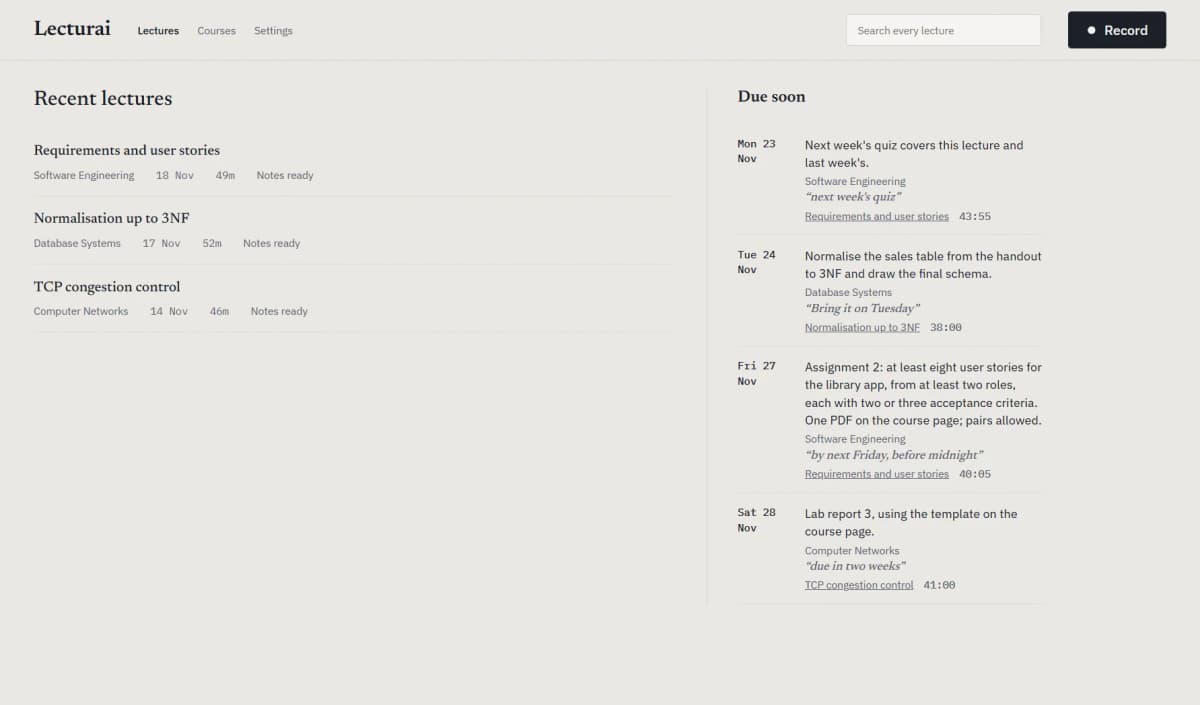
The first rule I set was that every point in the notes has to point back to the moment it was said, or to the slide it came from. A note with no source is dropped instead of shown. The AI's own study suggestions live in a separate section and are never mixed in with what the lecturer said. When a date is said relative to the day ("next Friday"), the notes work out the calendar date from the recording date and keep the lecturer's exact words beside it. If a date or a number might have been misheard, the notes flag it to check instead of guessing.
How a lecture flows
Step 1 / 5
- I press Record and pick the app the class is running in, whether that's Zoom, Teams or a browser. Apps that are playing sound are listed first, and Lecturai records only that app's audio, not everything the laptop plays.
- While the class runs, it can take a screenshot of the slides whenever they change. A slide is kept only once the window holds still, so video and camera movement don't fill up the list.
- When I press Finish, the recording is saved first, and the app suggests the course from the day and time of the class.
- In the background, Whisper transcribes the audio on my own GPU, so it never leaves the laptop for that step, and the app works out who is speaking.
- The transcript and the slides then go to a language model I choose in Settings, such as Claude or Gemini, to write structured notes, with every point linked to its moment.
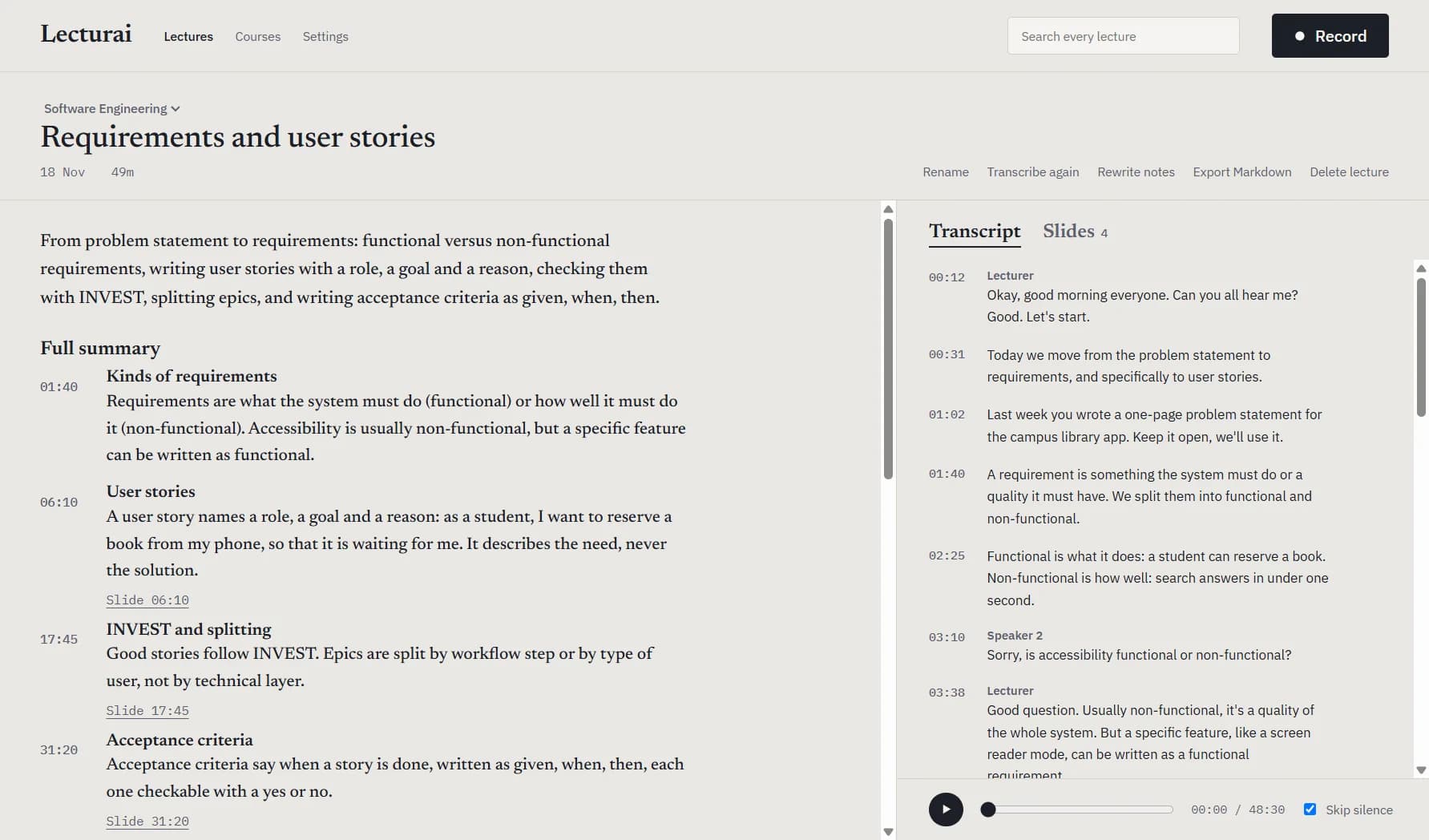
Telling the voices apart matters more than it sounds. A student asking "is it due Friday?" is asking a question, not setting a deadline, so only what the lecturer said can become an assignment or a deadline. Those are collected into their own list, grouped by course. Every lecture is searchable down to the moment, and the notes export to Markdown with their slides alongside.
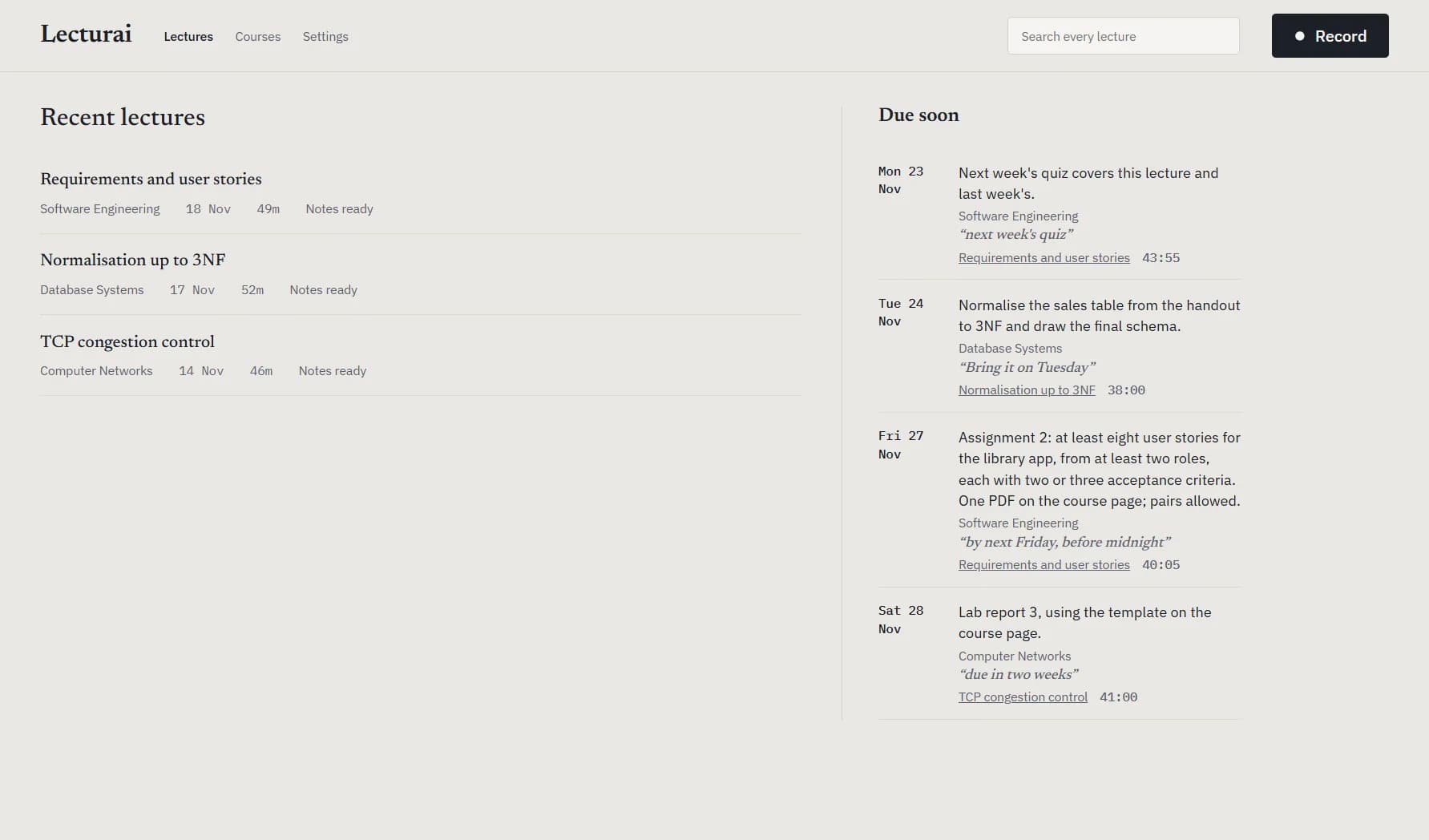
The result
Starting a recording takes three clicks and a few seconds, and I study from these notes instead of my own half-finished ones. The part I use most is clicking a deadline and landing on the exact moment the lecturer said it.